
April 19, 2026
Quests have arrived in ClassMana! Turn your lessons into epic adventures!
This has been one of the most requested features, and I totally understand why. Imagine turning your lesson plans into
visual, narrative-driven adventures that students progress through at their own pace. That's exactly what Quests
does.
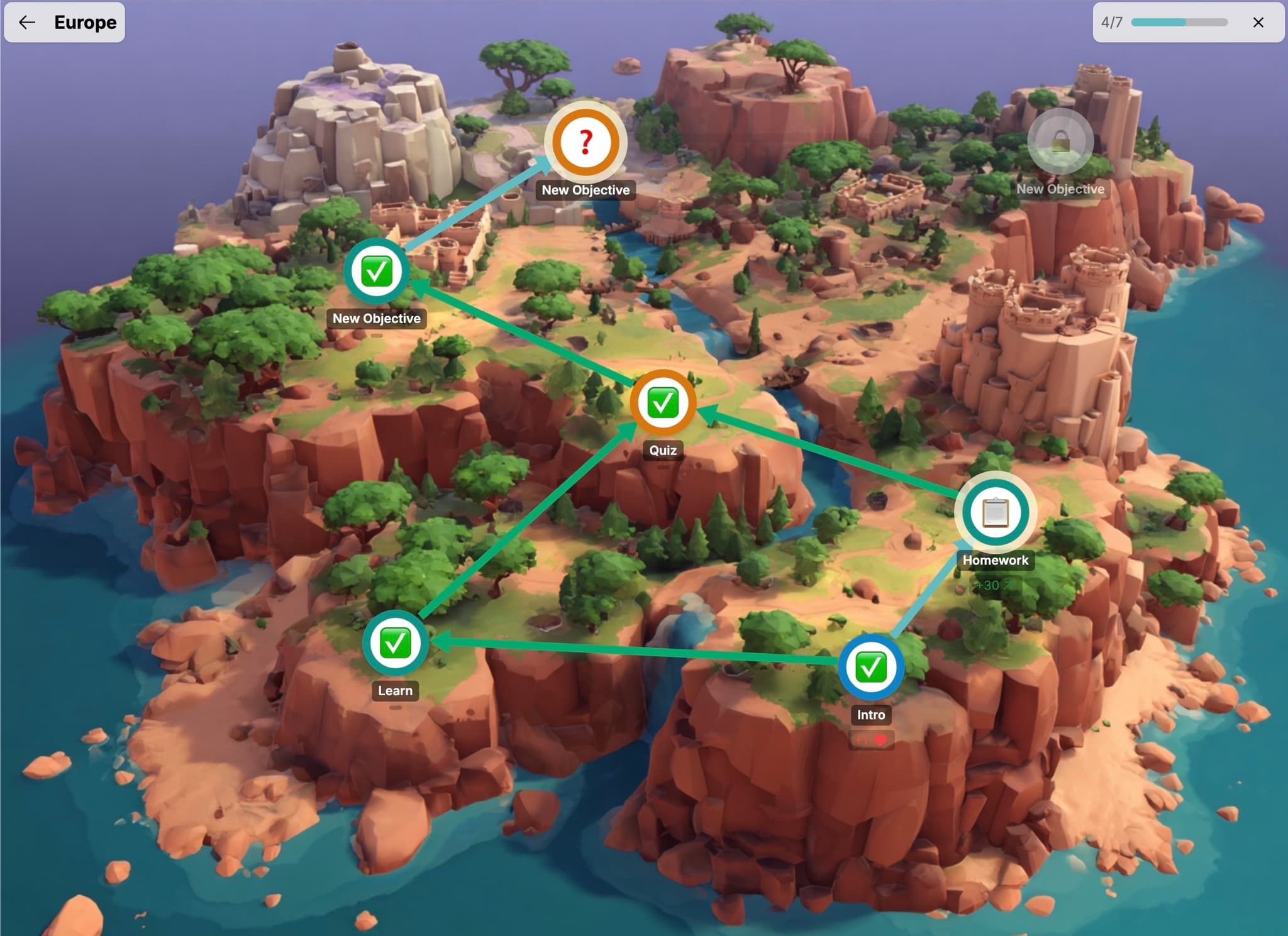
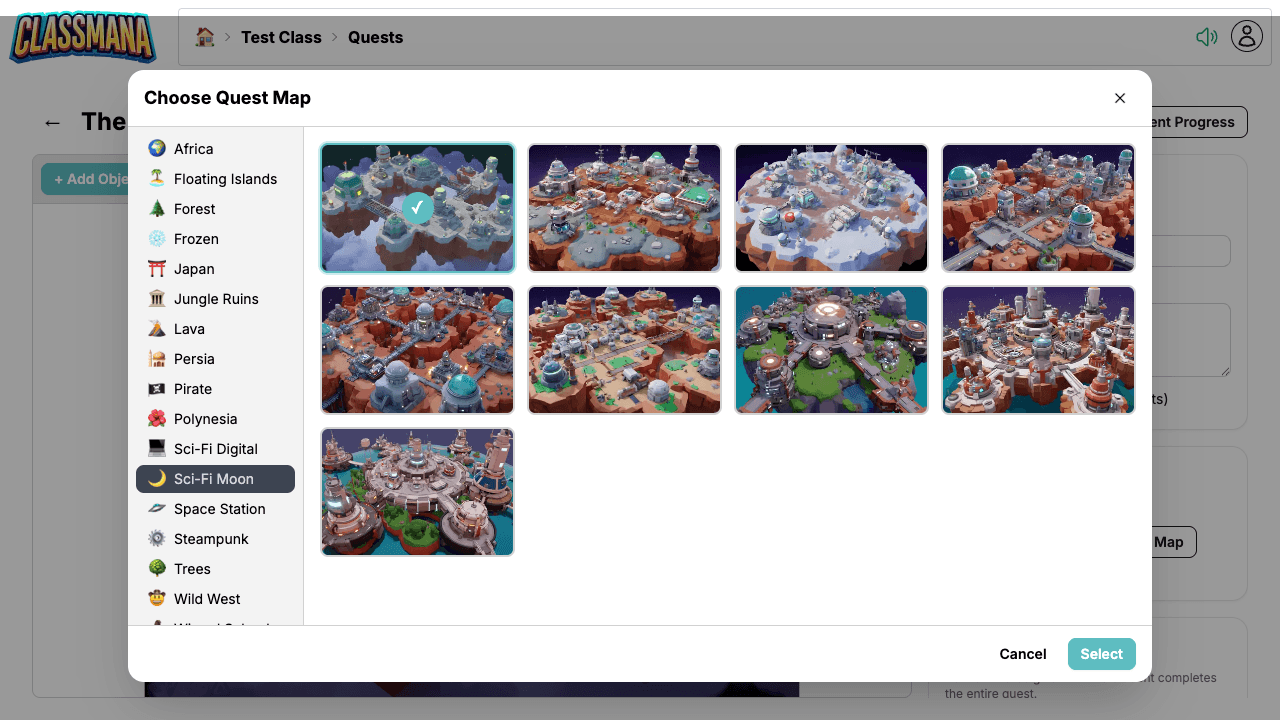
🗺️ Beautiful Quest Maps
Each quest is a visual map with objectives connected by paths — like a board game your students play through. Pick
from 200+ themed map backgrounds across 20+ categories: Pirate, Wizard School, Jungle Ruins, Space Station, Sci-Fi,
Wild West, Japan, and many more. Match the map to your lesson's theme for maximum immersion!
📝 Three Objective Types
Each node on the map is an objective. You get three types to mix and match:
- Task — Assignments students complete and either self-report or submit for your approval
- Info — Story nodes that set the scene or give instructions — automatically completed when read
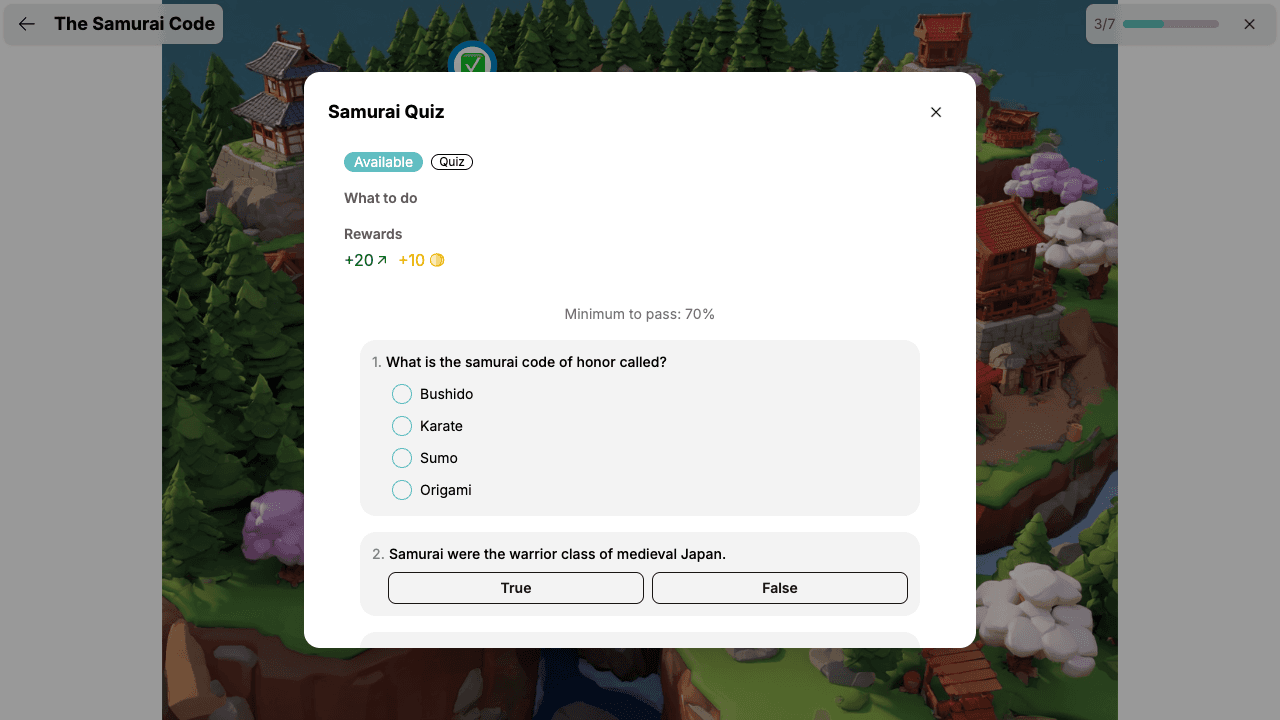
- Quiz — Auto-graded assessments with multiple choice, true/false, text match, multi-select, and ordering questions
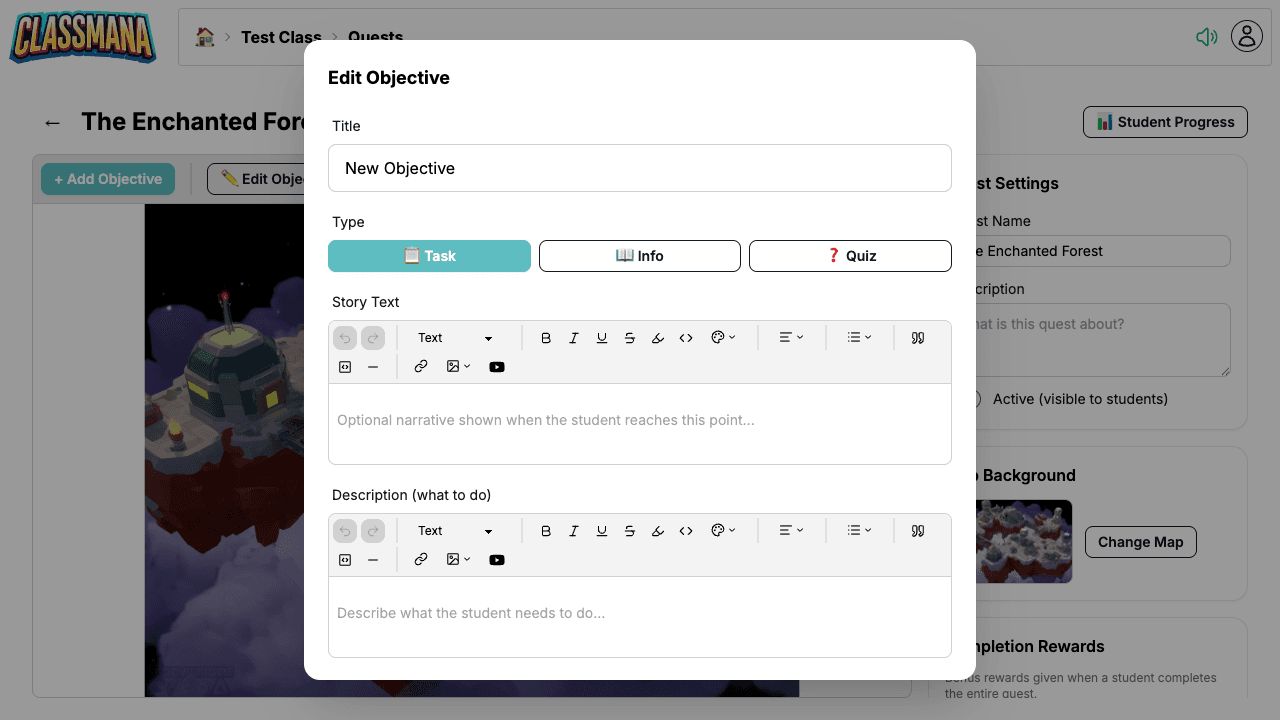
Each objective has a story text field to advance your narrative.
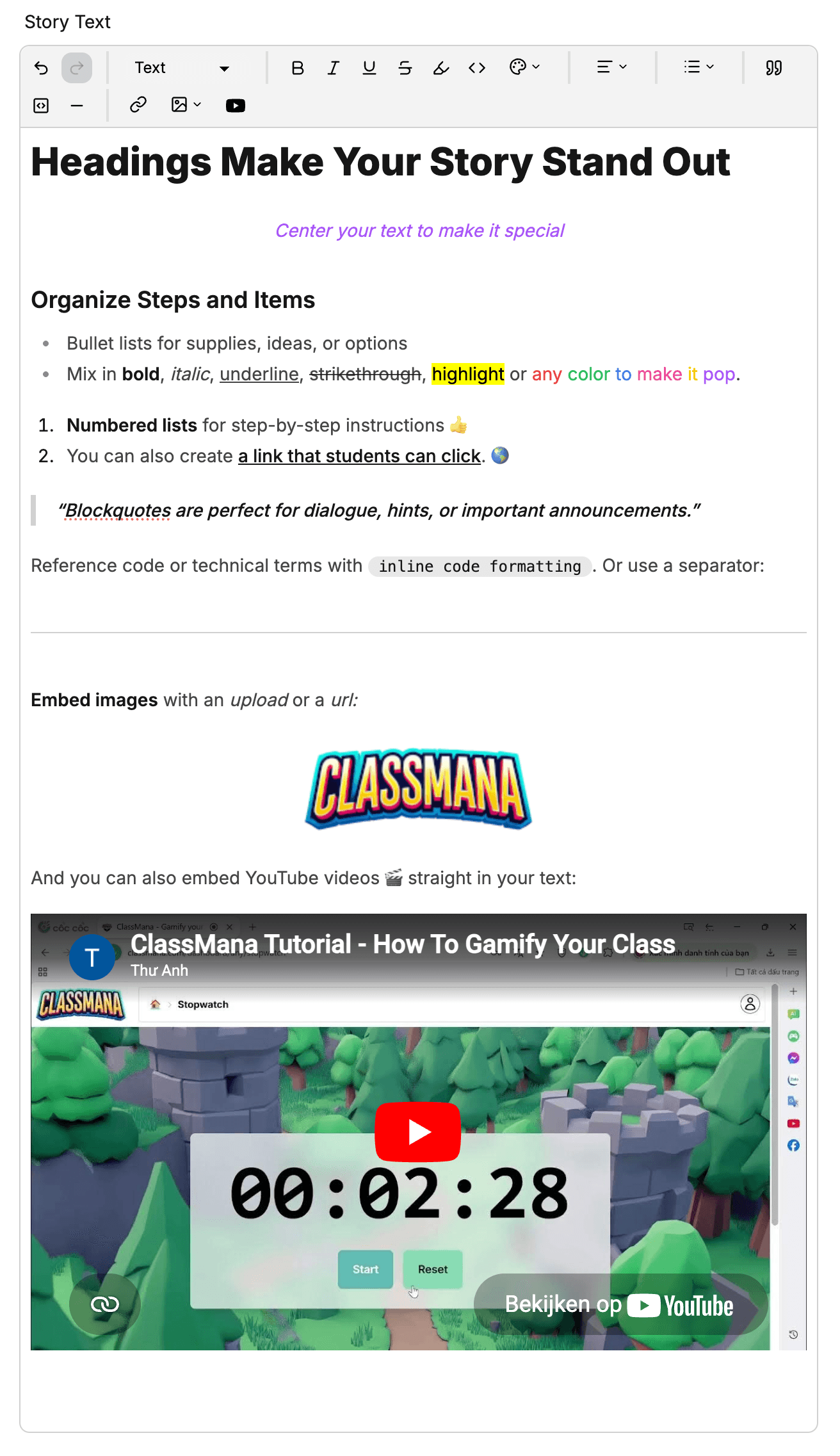
✍️ Rich Text Editor (Embed YouTube!)
Objective descriptions come with a rich text editor that supports formatting, images, links, and even embedded
YouTube videos! Bring your content to life right inside the quest.
🔀 Branching Paths
This is where it gets really powerful. Objectives are connected by paths, and you can create branching routes —
giving students autonomy to choose their own learning path. You can also create convergence points where multiple
paths come together before a final challenge.
Build linear sequences for straightforward lessons, or design elaborate branching maps with remediation detours and
enrichment challenges. It's entirely up to you!
🏆 Rewards at Every Step
Each objective can award Experience, Gold, Mana, or Health when completed. Plus, you can set bonus completion
rewards for finishing an entire quest — a great incentive for students to push through to the end!
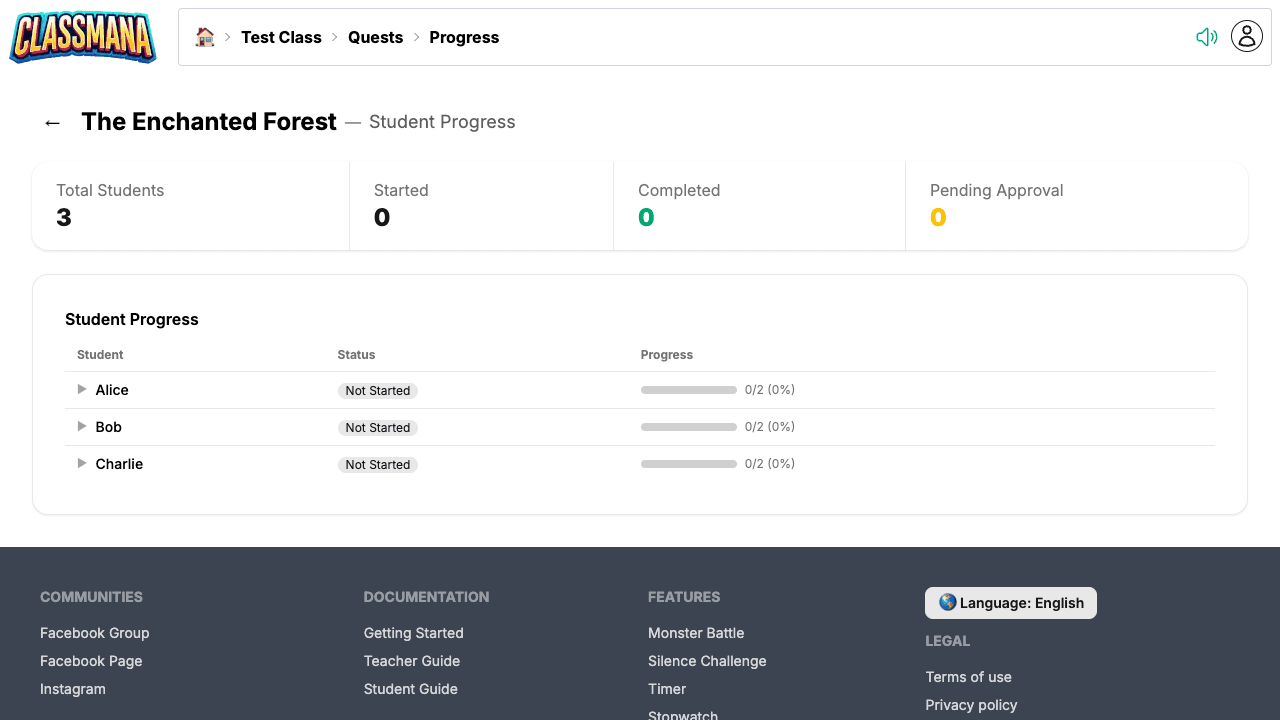
📊 Track Progress in Real-Time
Monitor exactly where each student is on the quest map. The progress page shows you everyone's status at a glance, and
you'll see a pending counter when students submit tasks for your approval.
🎓 What Students See
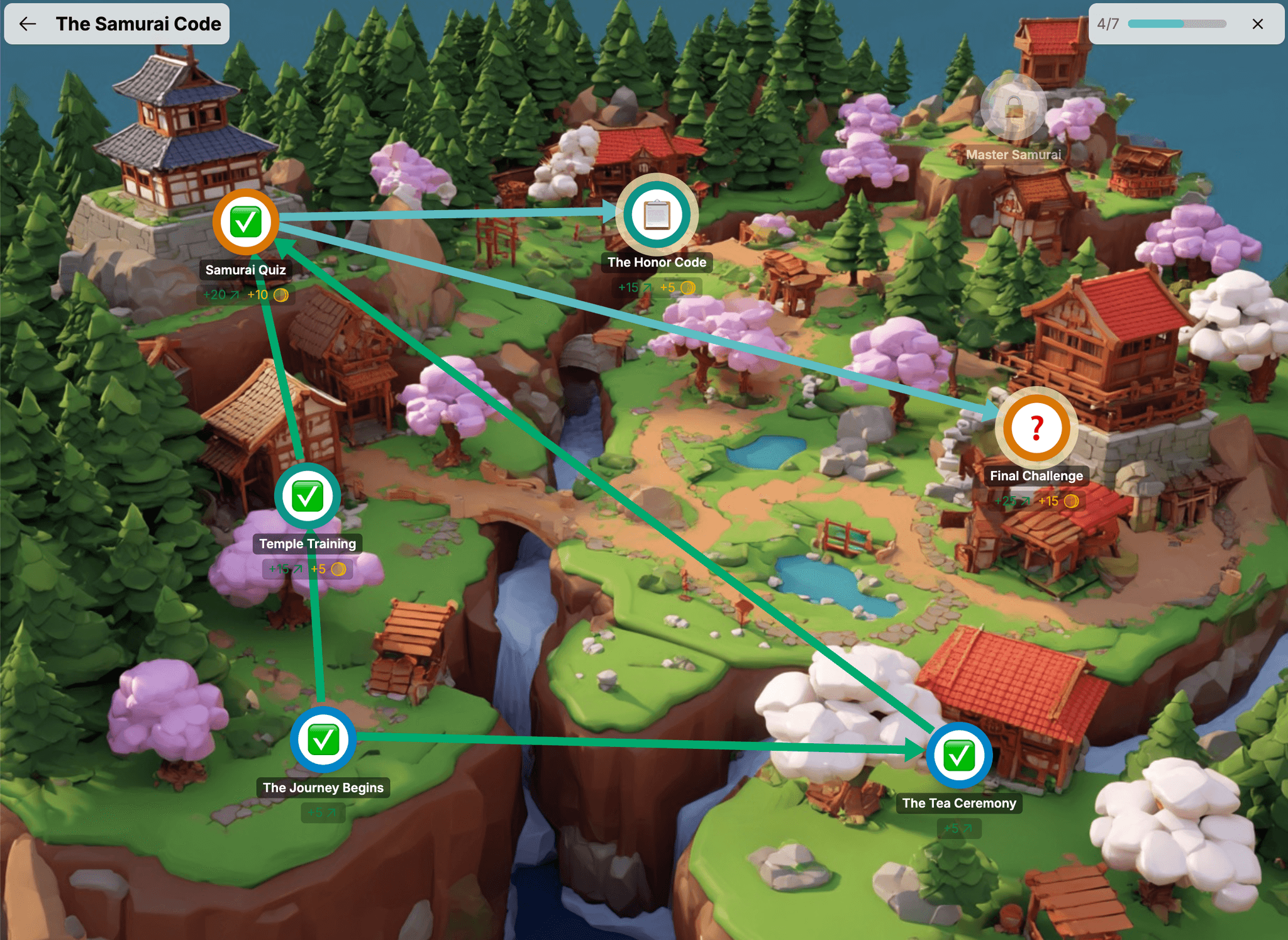
Students access quests from their dashboard. They see a list of active quests with progress bars, and clicking a quest
opens the full-screen map. Objectives are color-coded: gray (locked), blue (available), orange (pending
approval), and green (completed). The sense of progression is incredibly motivating!
⚠️ Beta Notice
Quests is still in beta, which means you might run into a rough edge here and there. If something doesn't work as
expected, or if you have ideas for how to make Quests even better — just reach out! Your feedback directly shapes what I
build next.
Join the Conversation! Have thoughts or questions about this article? Join our ClassMana Facebook Community to share your ideas, ask questions, and connect with other like-minded educators!