
Giving Rewards to Students
Rewarding students is the core of ClassMana's gamification system. When you reward students, they earn experience points that help them level up and gain mana to cast powers. This guide walks you through the different ways to give rewards efficiently.
Accessing the Reward Panel
From the Class Dashboard
- Navigate to your class dashboard
- Find the student you want to reward
- Click on the student's card or avatar
- Click the "Reward" button
Giving a pre-configured reward to a single student from the class dashboard.
Giving a Pre-configured Reward
The fastest way to reward students is using your pre-configured reward list. When the reward panel opens, you'll see your list of configured rewards. Each reward shows:
- Description - What the reward is for (e.g., "Great participation!")
- Point values - Experience, mana, health, and gold amounts
Simply click on a reward to apply it immediately.
After clicking, you'll see a confirmation toast message showing the reward was applied. The student's stats update instantly.
Quick Tip
Rewards are applied immediately when clicked. There's no confirmation dialog, so you can rapidly reward multiple behaviors in succession.
Adding a Custom Reward
Sometimes you need to give a reward that isn't in your pre-configured list. Use the Custom Reward section at the bottom of the reward panel:
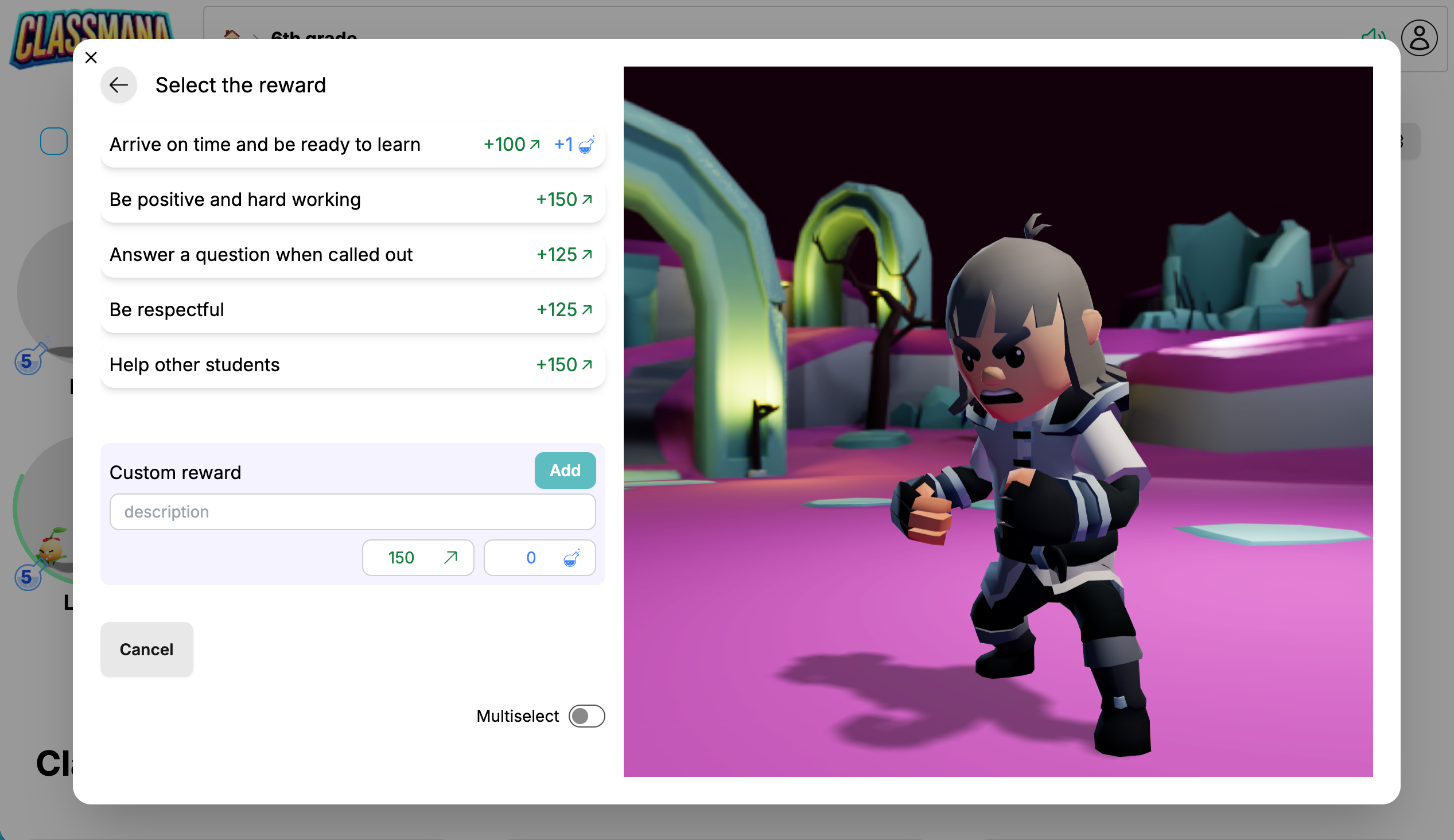
- Set the Values
- Click the "Add" button to apply the custom reward to the student.
Saving Custom Rewards
Custom rewards are one-time only. If you find yourself using the same custom reward repeatedly, consider adding it to your reward configuration. Go to Class Settings → Rewards to add it permanently.
Rewarding Multiple Students at Once
You can reward several students simultaneously for group achievements or class-wide recognition.
Step 1: Select Multiple Students
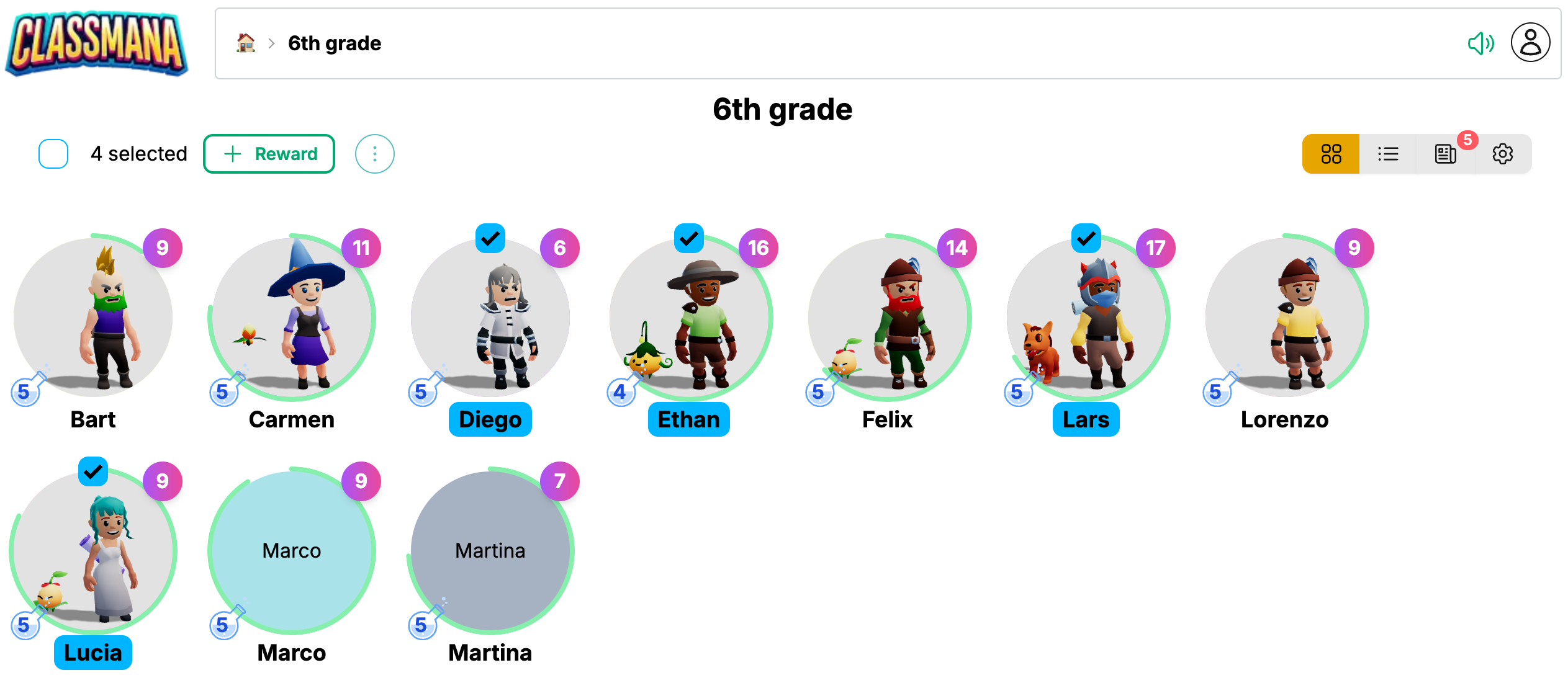
- From the class dashboard, click on the checkbox at the top of multiple students
- Or use the Select All checkbox to select the entire class
- Click the "Reward" button that appears in the action bar
Step 2: Choose and Apply Reward
The reward panel works the same way - click a pre-configured reward or create a custom one. The reward will be applied to all selected students.
Using Multiselect Mode
For situations where you need to give different quantities of multiple rewards, use Multiselect Mode:
Step 1: Enable Multiselect Mode
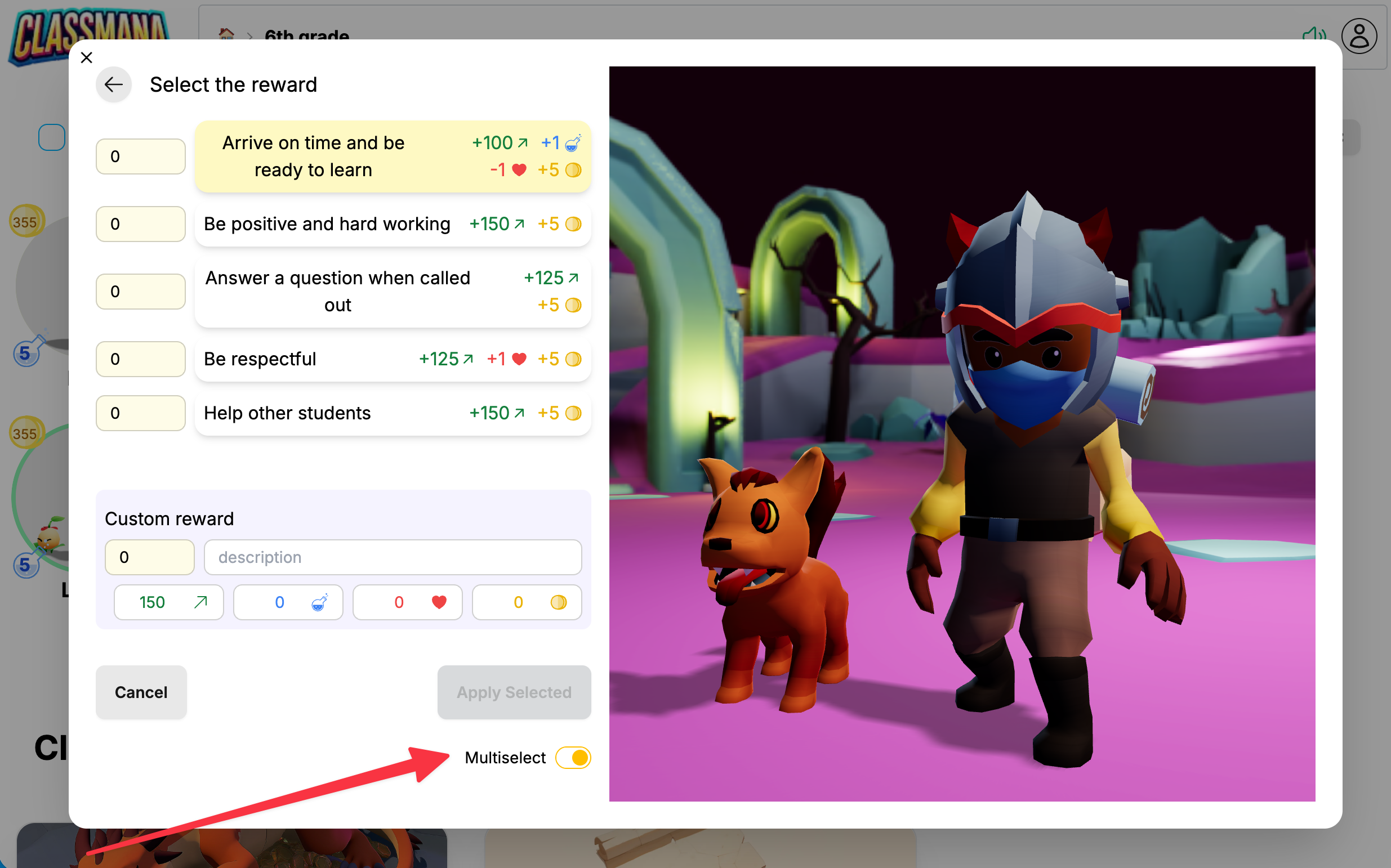
Toggle the Multiselect switch at the bottom of the reward panel.
Step 2: Set Reward Quantities
In multiselect mode, each reward shows a number input field:
- Click a reward to increment its quantity by 1
- Or type a specific number in the input field
- Set quantities for multiple different rewards
Step 3: Apply All Selected Rewards
Click the "Apply Selected" button to apply all rewards with quantities greater than 0. Each reward is applied the specified number of times.
Example use case: A student completed three homework assignments and answered two questions in class. Set "Completed homework" to 3 and "Great answer!" to 2, then apply all at once.
Custom Rewards in Multiselect
You can also set a quantity for custom rewards in multiselect mode. Set your custom reward values, then enter the quantity in the number field next to the description.
Understanding Reward Effects
Experience Points
- Primary currency for progression
- Every 1000 experience = 1 level up
- Level ups grant 1 mana automatically
Mana Points
- Used to cast powers (classroom perks)
- Can be given directly as bonus mana
- More valuable than experience - use sparingly
Health Points
- Only available if health is enabled in class settings
- Can be added or removed with rewards
- Typically used with the health system
Gold
- Only available if gold is enabled in class settings
- Used in the classroom shop
- Students can spend gold on items you configure
Common Questions
Can I undo a reward?
When making mistakes, you can adapt student points manually.
Should I give mana directly?
Generally, let students earn mana through leveling up. Direct mana rewards should be rare and special - perhaps for exceptional achievements or as part of a special event.
Can students see their reward history?
They can once they have student accounts. Students can view their complete reward history in their profile, including descriptions and timestamps. This helps them understand what behaviors are being recognized.